How to review AI task suggestions before assigning work
A review-first approach to AI-assisted project writing that checks evidence, scope, and acceptance criteria before committing work.
Paste a project brief or fill a short intake. OkFlow drafts the tasks, suggests how to group them into sprints, and proposes priorities. You review and edit before any of it touches your real backlog.
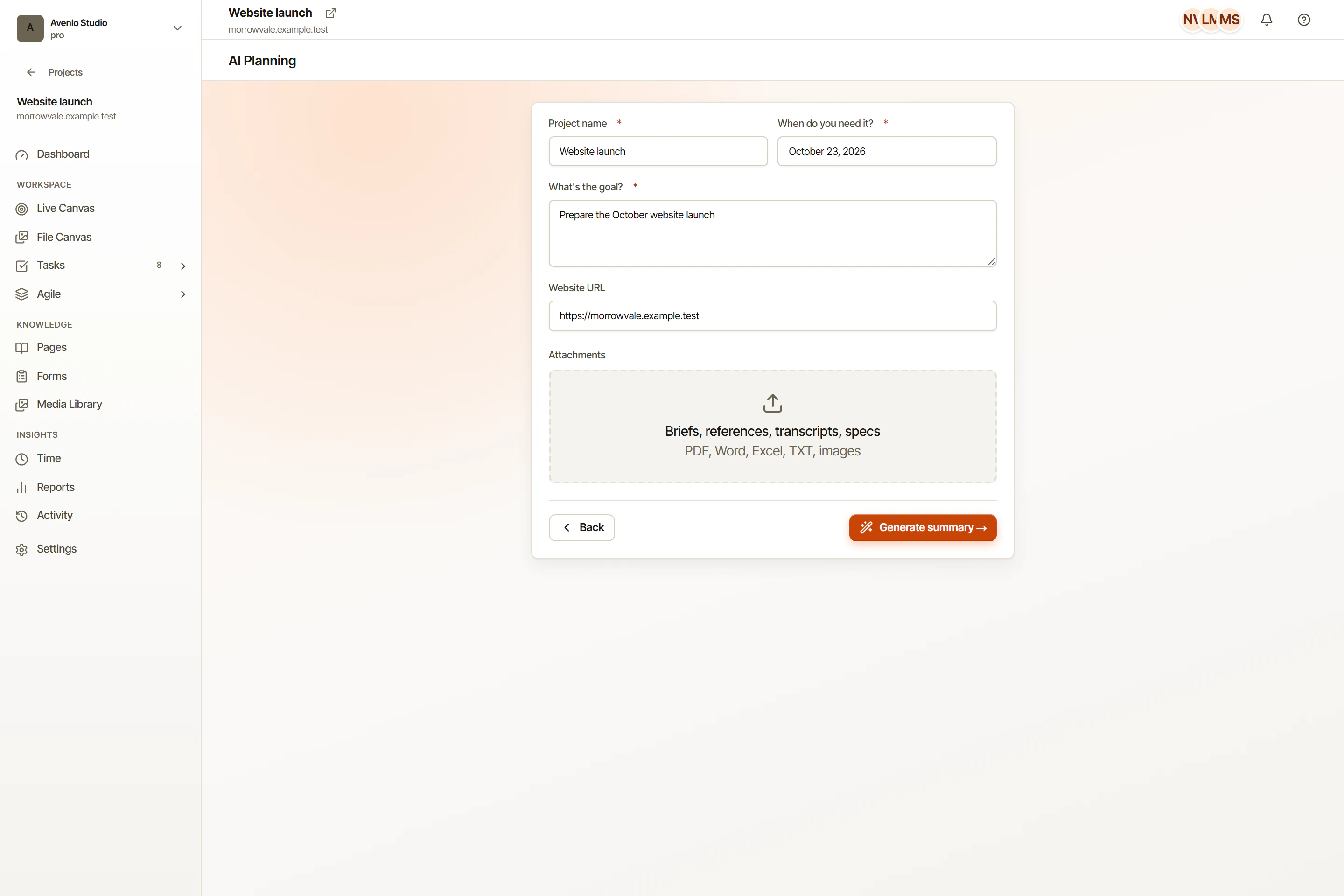
Paste a few paragraphs or fill an intake form. The assistant produces a starter plan in seconds.
Drafts live in a separate state. Nothing reaches your live backlog until you publish.
The assistant proposes how to group tasks into sprints based on dependencies and effort.
Each draft task gets a suggested priority and dependency edges you can keep, change, or ignore.
The hardest part of a new project is the first hour of typing out tasks. OkFlow reads your brief and turns it into a draft plan you can refine. The assistant proposes task titles, descriptions, sprint groupings, and priorities so you start with structure instead of staring at an empty board.
Nothing the assistant proposes is final. The draft plan lives in a staging state separate from your real backlog. Rename, reorder, merge, split, delete. When the plan is good, hit publish and it materializes into tasks and sprints. Review the draft before publishing.
Use the draft as a starting point. Review task scope, adjust priorities and dependencies, and decide what fits each sprint based on your team’s availability. Your team checks the plan before it becomes committed work.
OkFlow uses DeepSeek by default with OpenRouter as the provider abstraction.
Yes. AI features can be turned off per project for sensitive work, regulatory contexts, or any reason. The rest of OkFlow keeps working as usual.
No. Drafts are isolated. Nothing reaches your live tasks or sprints until you explicitly publish. Until then the draft is a private staging area.
A short paragraph describing the goal, the deadline if known, and any constraints you already have. The more concrete the brief, the more usable the draft. You can also fill a structured intake form if you prefer prompts.