How to collect website feedback and turn it into tasks
A practical website feedback workflow for agencies: collect visual comments, write useful tasks, review changes, and record client approval. Includes a template.
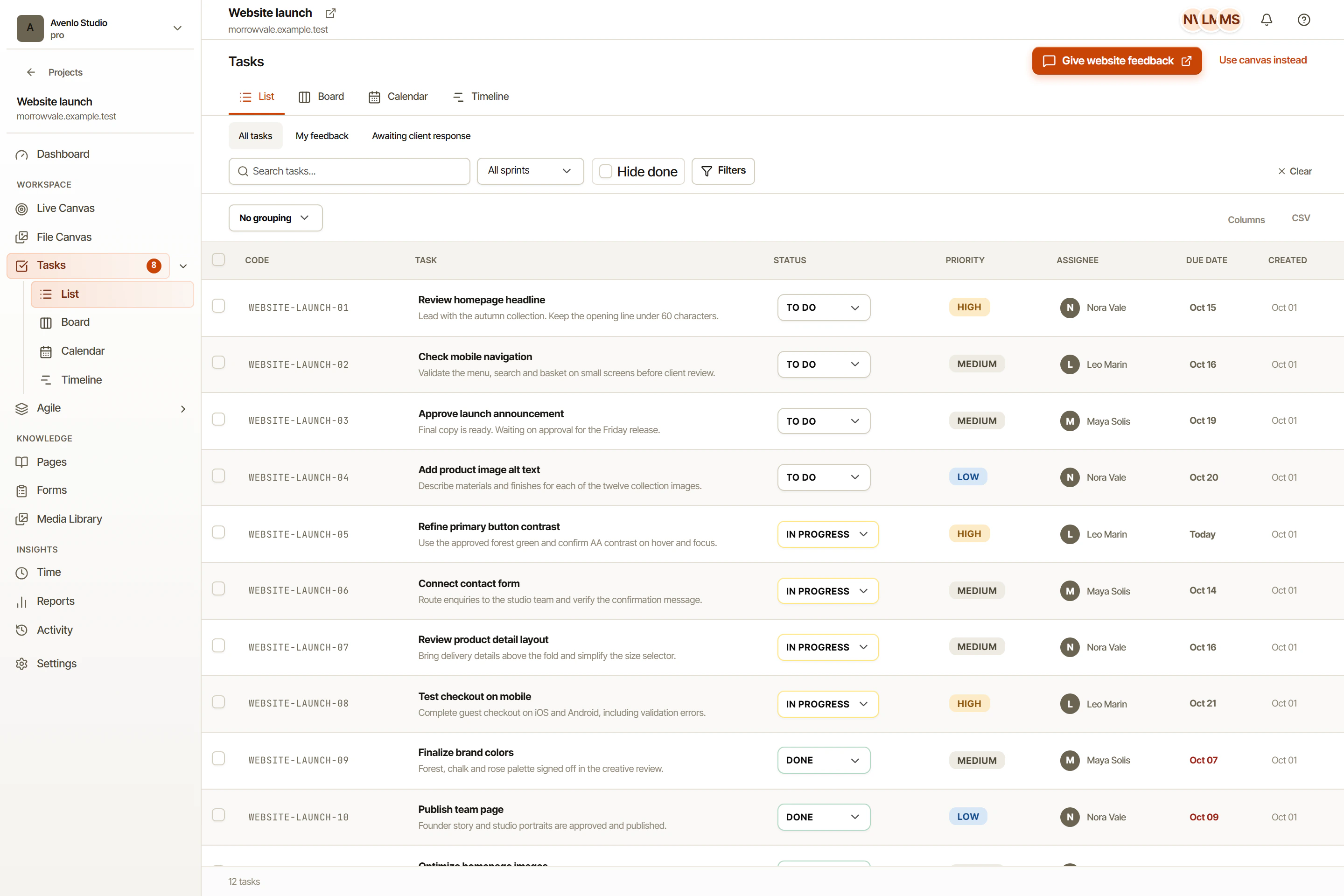
Pin comments to the part of the website you want to change. OkFlow keeps visual feedback with its page context, so your team can understand the issue and decide what to do next.
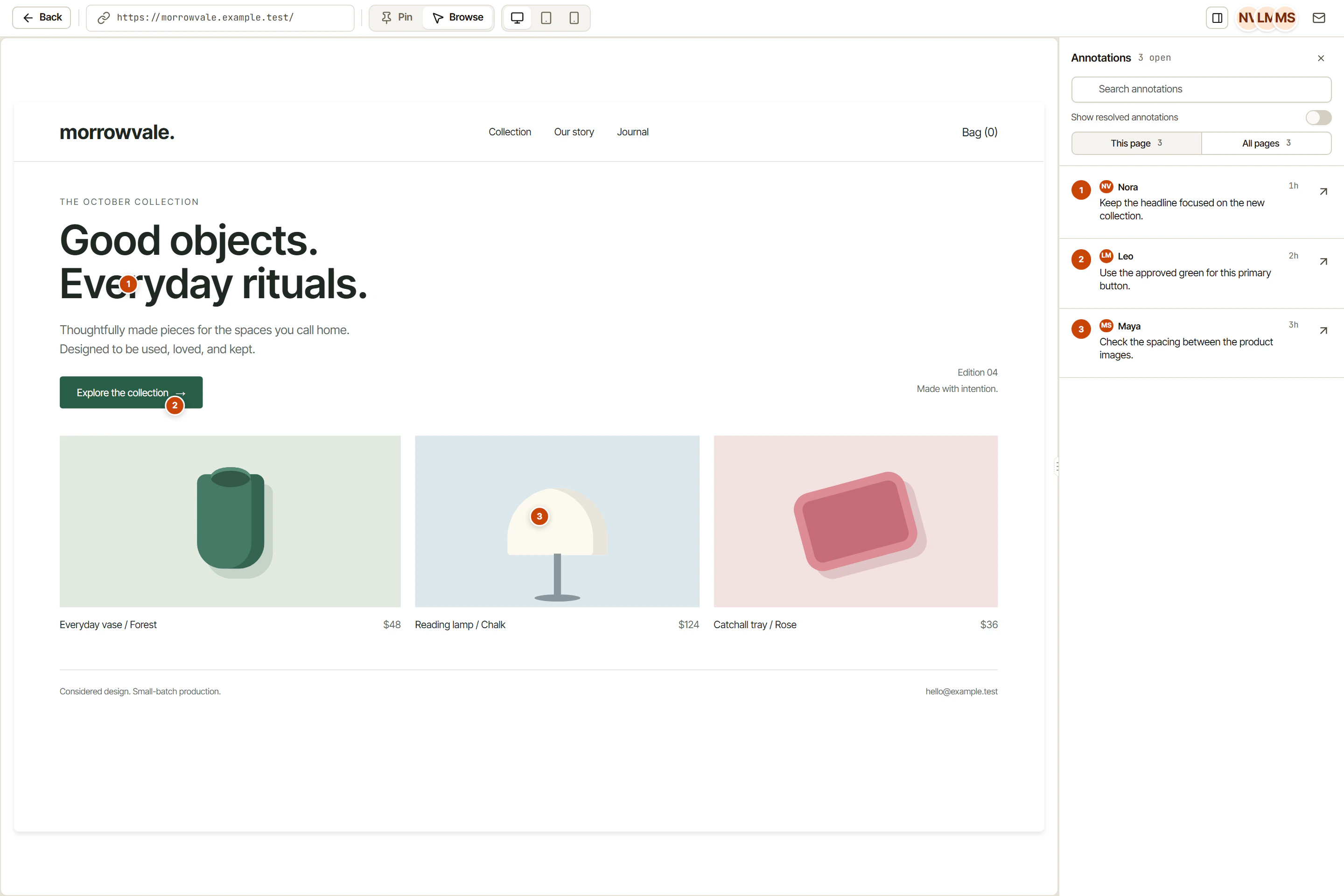
Drop a numbered pin on any element. The exact URL, viewport, and selector are captured automatically.
Draw bounding boxes and directional arrows to mark up entire regions, not just single elements.
Every comment auto-attaches the URL, viewport, browser, OS, device pixel ratio, and console errors.
Clients and stakeholders comment via share link, no account required, no friction.
Whether the reviewer is marking a single pixel, highlighting a text block, or sketching a layout direction, OkFlow has the right tool. Pins, boxes, arrows, and freehand, all from the browser extension, zero install on the site.
Every annotation records the URL, viewport dimensions, browser name and version, OS, device pixel ratio, element selector, and any console errors or warnings present at capture. Your dev team never has to ask 'what browser?' again.
See who is currently looking at a review session, which comments are unread, and which ones have been resolved. No more 'did you see my comment?' follow-up messages.
Yes. The browser extension works on any site including staging environments, password-protected pages, and sites that block iframes. The embeddable widget is available for sites you control.
URL, viewport dimensions, browser name and version, OS, device pixel ratio, the CSS selector of the target element, and any console errors or warnings at the time of capture.
Yes. Share links let reviewers comment without creating a workspace account. You control password protection and link expiry.
Yes. OkFlow shows live presence indicators when multiple reviewers are in the same session, and threads keep related comments organized.
Book a 15-minute walkthrough and we will show you exactly how annotations become resolved tasks.