How to collect website feedback and turn it into tasks
A practical website feedback workflow for agencies: collect visual comments, write useful tasks, review changes, and record client approval. Includes a template.
Leave visual feedback on websites you have permission to review. Use the extension for pages that block embedded reviews, and keep the comments in your OkFlow project.
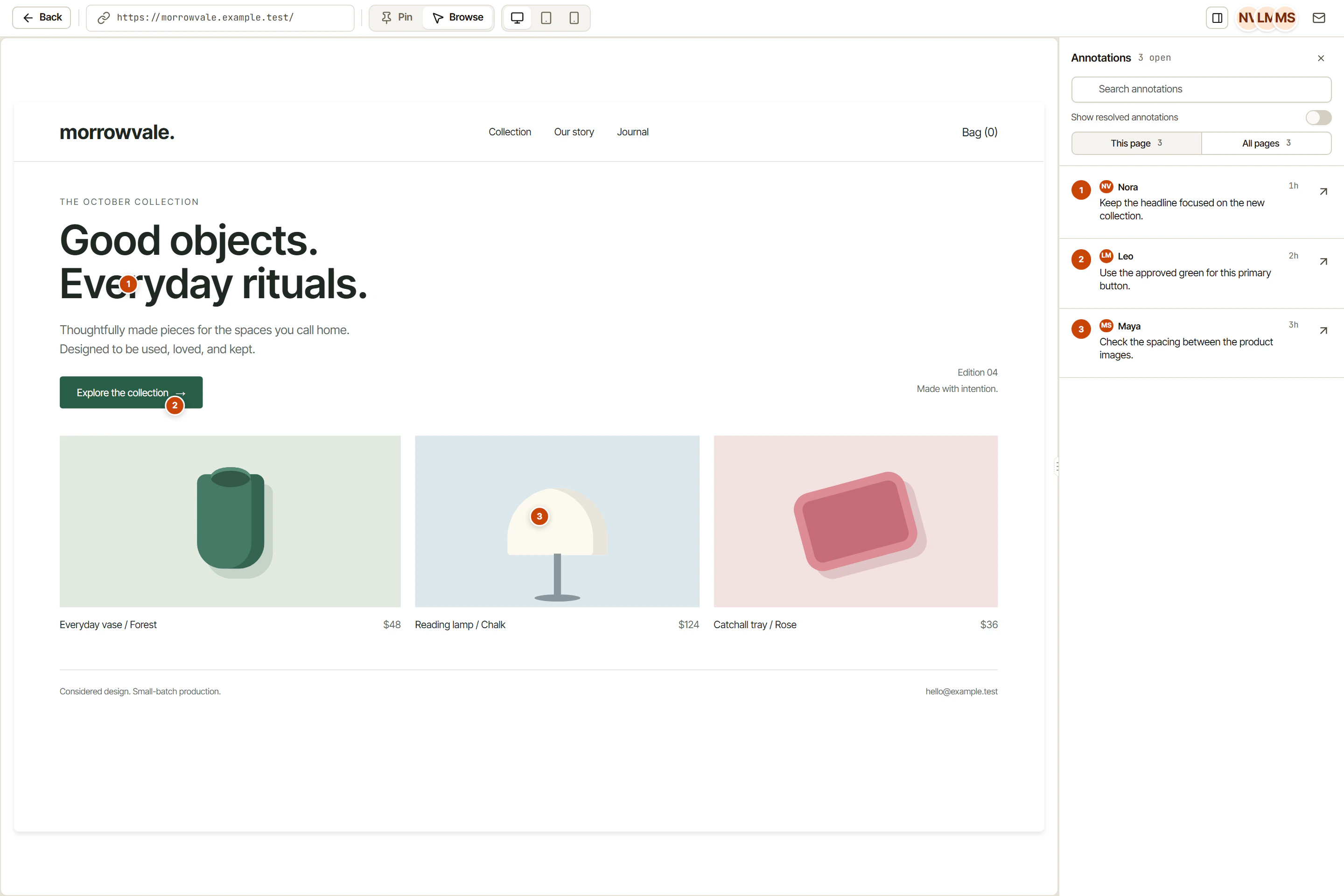
The capture below shows feedback in Live Canvas, not a browser-store listing.
Contact info@okflow.io for the current package and supported installation method. A store listing is not implied by this page.
Check the installation prompts and your browser site-access settings. Confirm your organization permits the extension on the sites you plan to review.
Sign in with your OkFlow account, select the project, and capture only content you are authorized to share.
It operates in the browser tab rather than embedding the site in an iframe. This can support review where iframe embedding is blocked, subject to browser restrictions and your authorization.
The current source manifest requests site access on all URLs, storage, activeTab, sidePanel, webNavigation, tabCapture, and alarms. Permissions and browser support may vary by build. Review the actual installation prompt, and restrict site access where your browser supports it.
Yes. Page content, screenshots, and recordings may include personal or confidential information. Do not capture credentials or content you lack permission to process. Review captured material before sharing it.
Contact info@okflow.io for the current supported build and installation method. This page does not claim publication in Chrome, Firefox, Edge, or Safari stores.