How to write project specs your team can work from
Use project Pages for briefs, specifications, and decisions that give task work a stable source of context.
A form in OkFlow is not just a survey. Each submission can create a task, notify project members, generate a document, or POST to your own webhook. Build the flow once; the rest is automatic.
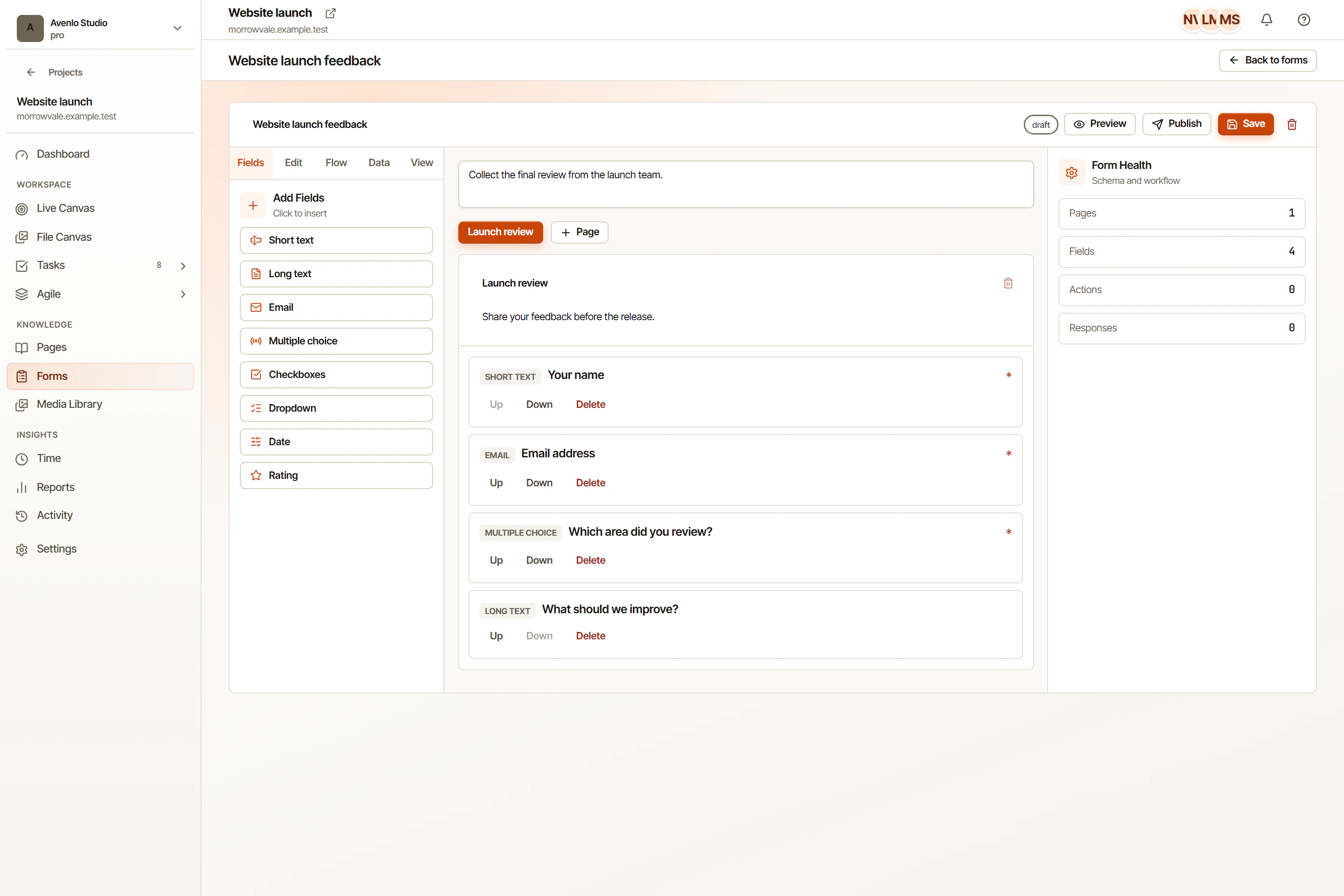
Text, choice, rating, signature, file upload, date, dropdown. Reorder fields with drag and drop.
Show or hide fields based on previous answers. Branch the flow by user input.
On submit: create a task, notify members, generate a document from a template, or POST to a webhook.
Send a URL. No signup required, no app to install. Responses sync back to your workspace.
Short text, long text, email, single choice, multiple choice, dropdown, date, file upload, signature, rating. Use them in any order. Group fields into pages for longer flows.
Conditional rules let one form serve many cases. Hide irrelevant questions. Branch the flow when the answer matters. Validate before submission so you do not chase bad data later.
Wire actions to every submission. Create a triage task with the response attached. Notify the right project members. Fire a webhook into your own system. Combine multiple actions on one form.
No. Public share links are designed for external respondents. If you need an authenticated submission, route the form through your own auth and use the webhook action to send data into OkFlow.
In your OkFlow project, alongside the form. You can browse, filter, and export them. Hidden answers are stripped before save so the response data stays clean.
Yes. Export to CSV from the form's responses view. The webhook action also runs on every submission, so you can stream responses into a data warehouse in real time.
Each rule has a condition group (AND or OR) and a target action (show or hide a field). Rules evaluate on every keystroke so the form re-renders in real time as the respondent fills it out.
Forms in OkFlow do not just collect; they trigger the workflow.