List, board, calendar, or timeline: which view fits the work?
Use OkFlow's task views to inspect ownership, workflow, dates, and the shape of a project without duplicating the work.
See your entire delivery schedule on a Gantt chart that stays live. Drag a bar, and dependent tasks shift automatically. No spreadsheet maintenance required.
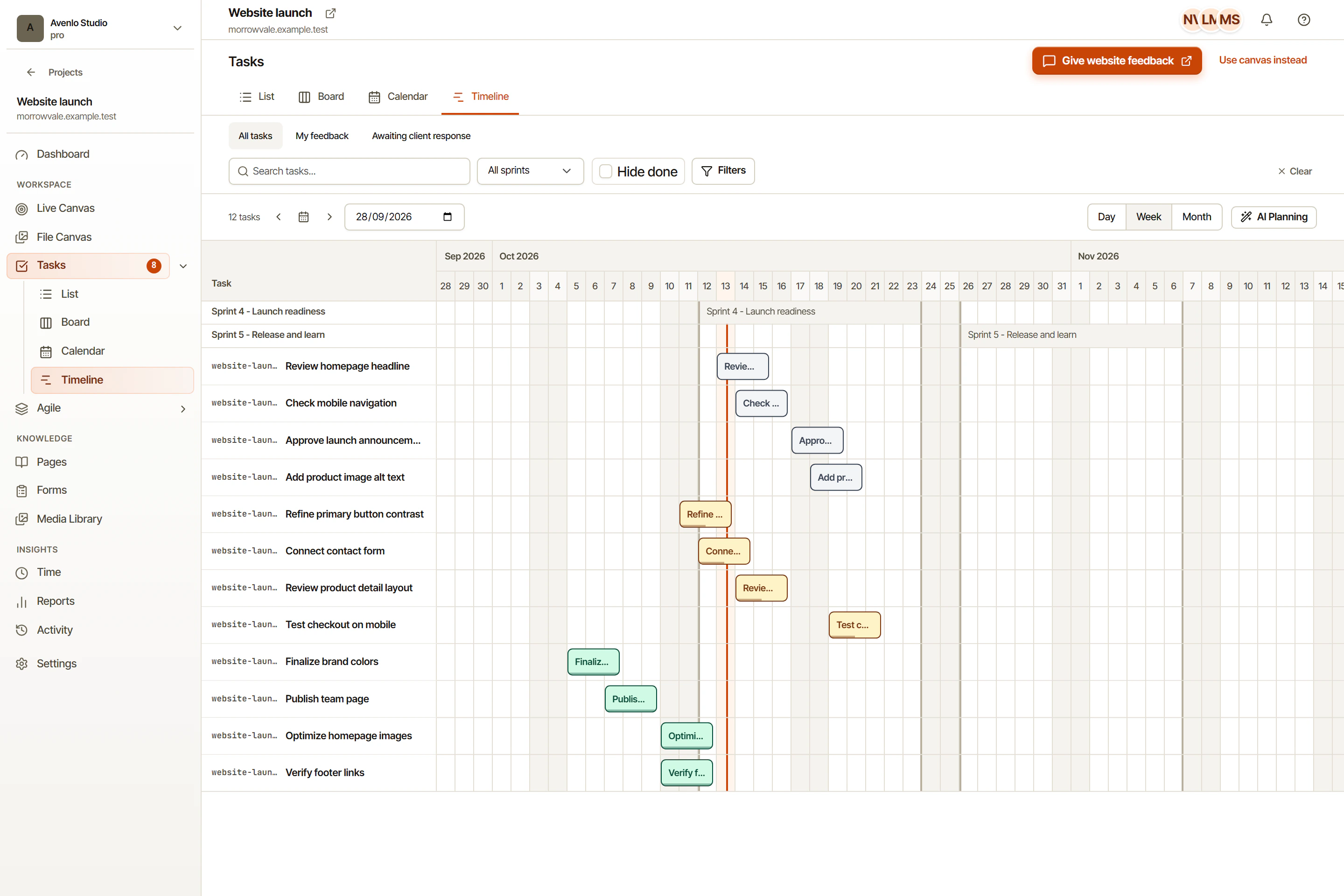
Drag any bar on the Gantt to move it. Tasks with dependencies shift forward automatically.
Define finish-to-start and start-to-start dependencies. OkFlow enforces them visually and blocks invalid moves.
OkFlow highlights the chain of tasks that determines your earliest possible delivery date.
See how much float each non-critical task has before it becomes a blocker.
The OkFlow Gantt is made for teams that change their mind, because requirements always do. Drag bars, add dependencies, and the chart recalculates on the fly.
When a feature spans multiple projects or workstreams, the cross-project timeline surfaces all relevant tasks on a single canvas. No tab switching to see the full picture.
Every bar on the Gantt is a live task. Click it to see the full task detail: description, subtasks, assignee, comments, and the original annotation if it came from a review.
Finish-to-start and start-to-start. Finish-to-finish and start-to-finish are on the roadmap. Dependencies are enforced visually and prevent invalid scheduling moves.
Yes. The cross-project timeline shows tasks from multiple OkFlow projects on a single canvas with color-coded project lanes.
Yes. Sprint-scoped tasks appear on the Gantt within their sprint window. Rescheduling a task on the Gantt updates its sprint assignment if needed.
OkFlow uses forward and backward pass scheduling to identify the longest chain of dependent tasks that determines the earliest finish date. Critical tasks are highlighted in the Gantt.
Book a 15-minute walkthrough and see how OkFlow keeps your delivery schedule honest.