How to review a PDF and keep page comments in context
A practical review process for proposals, presentations, and documents that keeps page-specific feedback in context.
Keep contracts, briefs, and proposals in your project. Write in OkFlow or import a PDF or DOCX, then keep the document alongside the tasks it supports for your team to review.
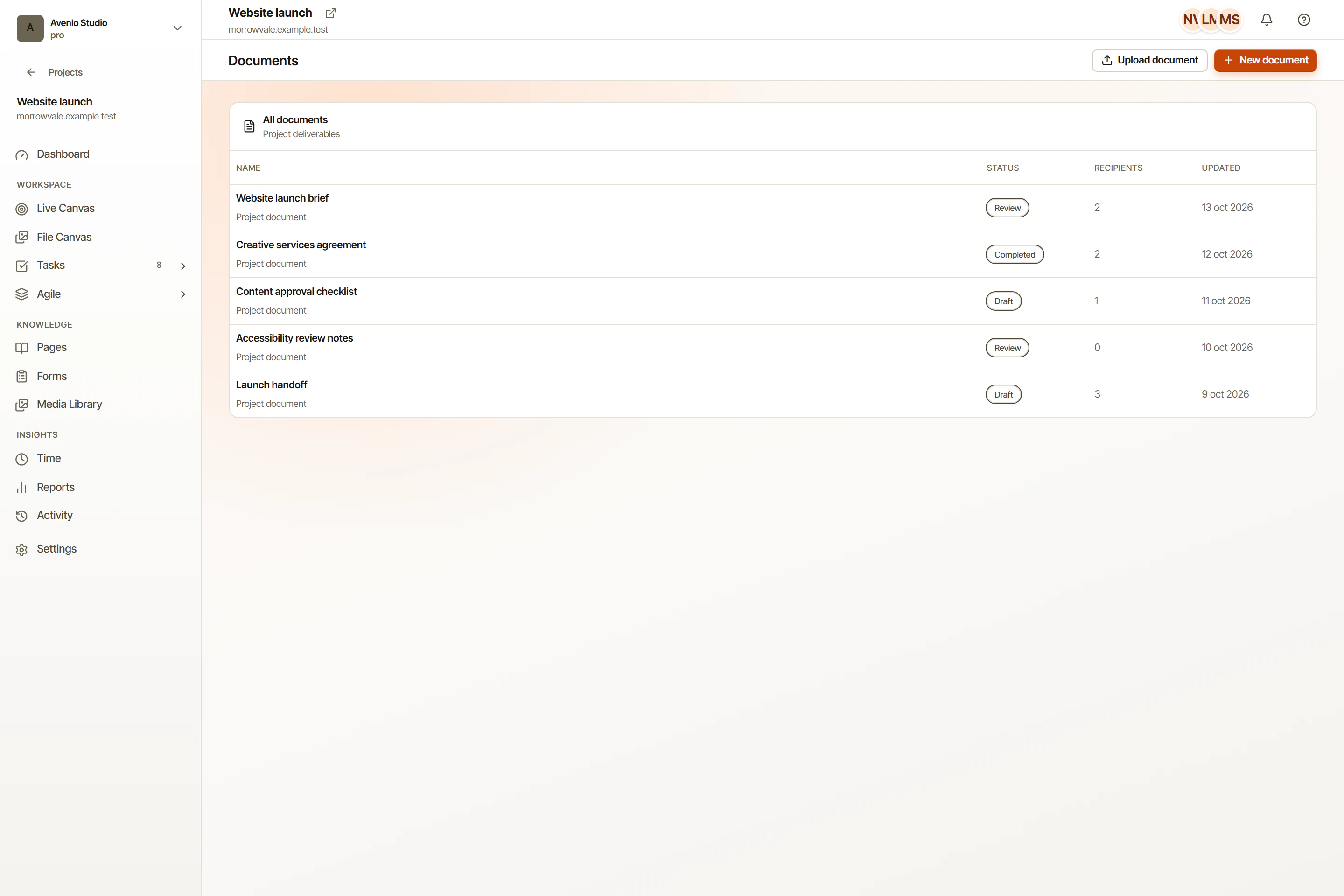
Headings, tables, lists, code blocks, images, and embeds. Built for real work, not a notes scratchpad.
Drop in a PDF or DOCX and keep your formatting. Headings, lists, tables, and images come across intact.
Save reusable templates with variable fields. Generate documents from a form response or a task in two clicks.
Place signature fields, send for signing, and get back a signed PDF with a tamper-evident audit log.
OkFlow's document editor is the kind of writing surface you can ship a contract from. Drop in tables, lists, images, and embeds. Format text without fighting the toolbar. The same engine powers professional legal and writing apps.
Already have a contract template in Word, or a brief in PDF? Drop the file into OkFlow and pick up where the original left off. The importer keeps headings, lists, tables, and inline images instead of dumping a wall of plain text.
Add signers, drag signature fields onto the document, send the request, and track who has signed. No bouncing between an editor, an e-signature vendor, and a folder of PDFs.
Yes. Drop the PDF into OkFlow and the importer converts it into an editable document while keeping the original structure. You can edit, add signature fields, and re-export.
OkFlow uses a tamper-evident audit trail and IP / timestamp / authenticated user records. Whether a given signature is legally binding in your jurisdiction depends on local law and the contract type. Consult counsel for high-stakes use.
Yes. Any document can be saved as a template, with named variables that get filled at generation time. Templates are shared across your workspace.
Inside your OkFlow project, encrypted at rest. Signed PDFs are immutable and stored separately from working drafts so you always have a clean copy of the executed version.
OkFlow keeps documents next to the tasks they affect.