How to collect website feedback and turn it into tasks
A practical website feedback workflow for agencies: collect visual comments, write useful tasks, review changes, and record client approval. Includes a template.
Turn visual feedback into tasks with the original comment attached. Assign the work, track time, and review logged hours in weekly timesheets.
One click turns any pinned comment into a structured task with the original annotation attached.
OkFlow reads the annotation and suggests a concise task title, priority level, and relevant tags.
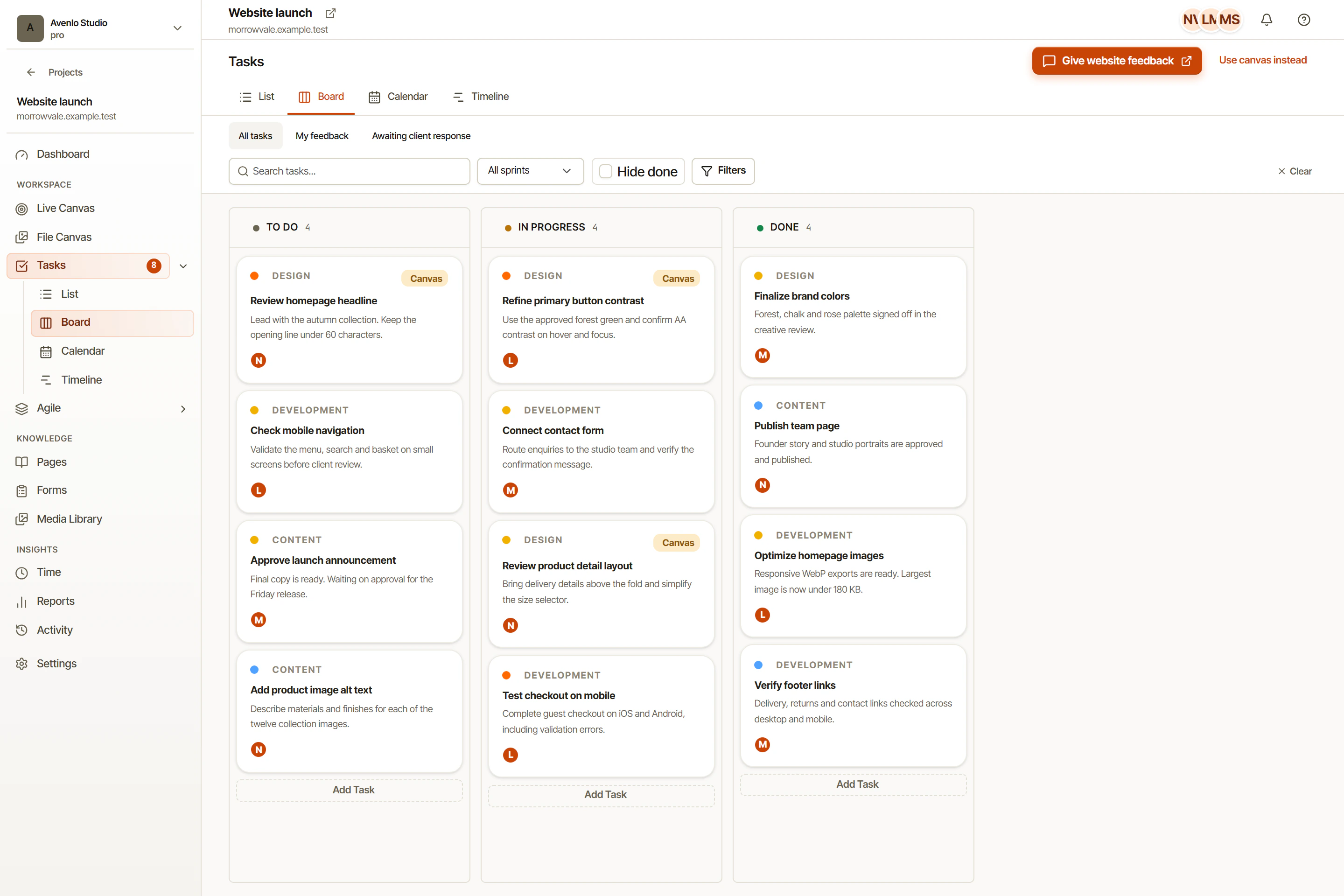
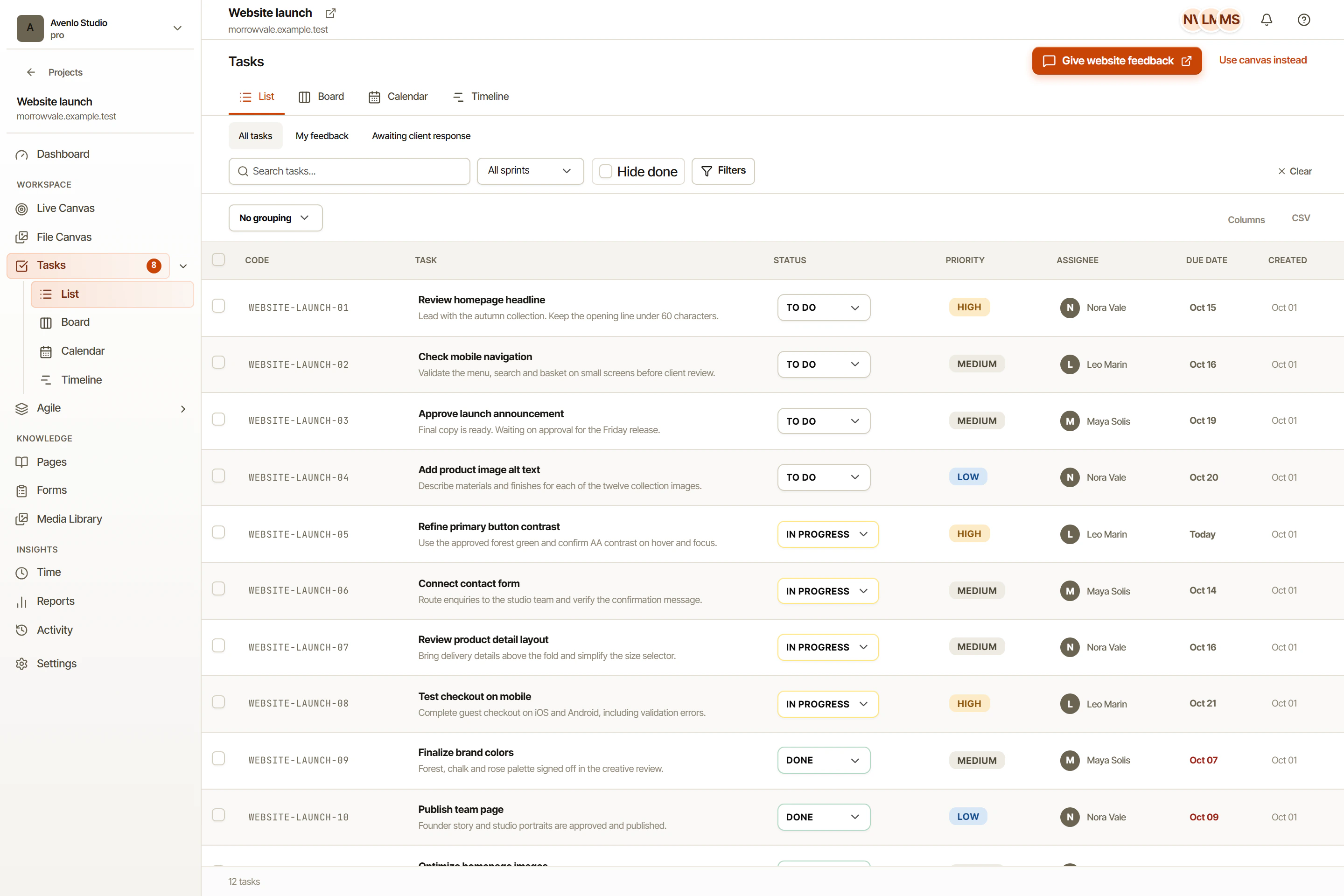
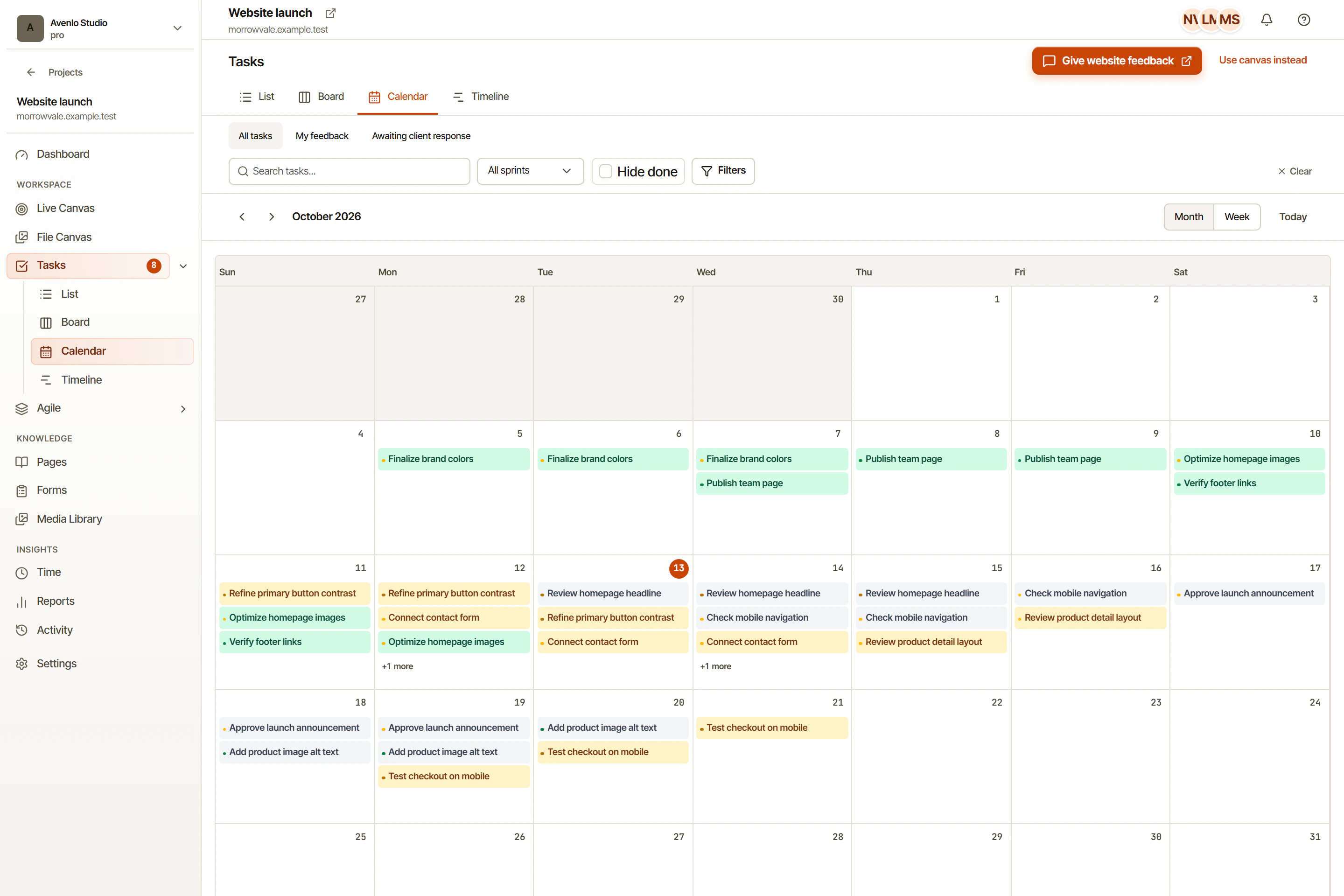
Switch between views without switching tools. All views share the same underlying task data.
Status changes, assignments, and comments sync instantly across every team member's view.
Whether your team prefers a kanban board, a spreadsheet-style list, a calendar, or a timeline, OkFlow has a view for it. Switch any time without losing work or context.
OkFlow reads the annotation text, the element selector, and the browser context to draft a task title, choose a priority, and suggest relevant tags. Your team reviews and publishes without typing from scratch.
Every task created from an annotation keeps the original screenshot, URL, browser metadata, and comment thread attached. Your developer sees the full picture without asking.
Yes. You can create tasks manually from any view. Tasks created from annotations carry extra context (the annotation, screenshot, and browser metadata), but the task system is fully general-purpose.
It can supplement or replace it. OkFlow has built-in task management and two-way sync with Jira, Linear, ClickUp, GitHub, and Zapier so you keep your existing process if you prefer.
OkFlow reads the annotation text and browser context, then uses AI to propose a concise, action-oriented task title and a priority level. Your team can edit or override before publishing.
Guests can comment on review sessions, and those comments can be converted into tasks by a workspace member. Guests themselves do not have direct access to the task system.
See how OkFlow connects visual feedback to the work that resolves it.