How to manage website approvals with clients
Keep agency feedback actionable with scoped guest review, explicit decisions, and tasks connected to the deliverable.
Your client should not need to create another account to leave feedback on their own project. OkFlow share links let any reviewer comment directly, no signup, no friction.
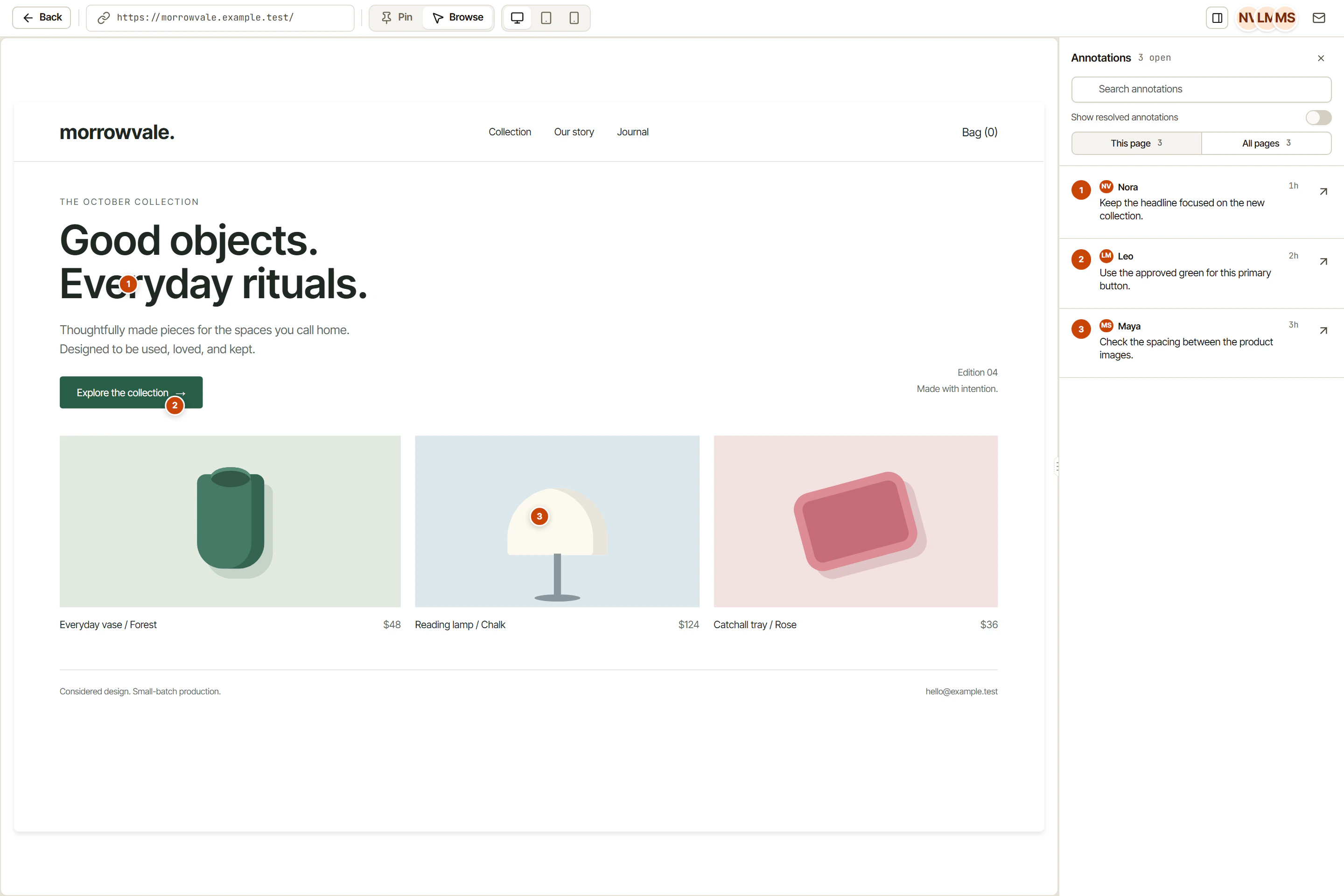
Guests open the link, enter an optional password, and start commenting immediately.
Set a password and an expiry date on any share link. Revoke access at any time.
Choose whether guests can comment, only view, or view and resolve feedback.
Guests can pin comments, reply to threads, and mark annotations as resolved, all without a workspace account.
Every OkFlow review session has a shareable link. Copy it, paste it in your email, and your client is reviewing. The link works for both website reviews and file canvas reviews.
Set a password for sensitive client reviews. Set an expiry date so old links stop working automatically. Choose comment-only or view-only permissions per link.
See who has opened a share link, how many comments they have left, and when they were last active. No more guessing whether your client has reviewed the work.
No. Guests open the share link, optionally enter a password, and can immediately start commenting. No account creation, no email verification.
Yes. Each share link can be set to view-only or comment-enabled. You can also restrict guests from seeing other reviewers' comments until you choose to show them.
You can revoke any share link instantly from the workspace. You can also set an expiry date so the link deactivates automatically on a specific date.
Yes. The share link activity panel shows when each recipient last opened the link, how many comments they left, and whether they have any unresolved threads.
No account. No friction. See how OkFlow makes external review effortless.