List, board, calendar, or timeline: which view fits the work?
Use OkFlow's task views to inspect ownership, workflow, dates, and the shape of a project without duplicating the work.
A task view is useful because it makes a particular question easier to answer. Who owns this work? Where is it waiting? What is scheduled next week? How does the project look across time? Asking one view to answer everything usually creates a harder planning meeting.
OkFlow includes list, board, calendar, and timeline views. They are different ways to examine task work, not reasons to maintain four separate copies of a plan. Choose a view according to the decision in front of the team, then keep the underlying task description and discussion consistent.
Use the list for a detailed pass
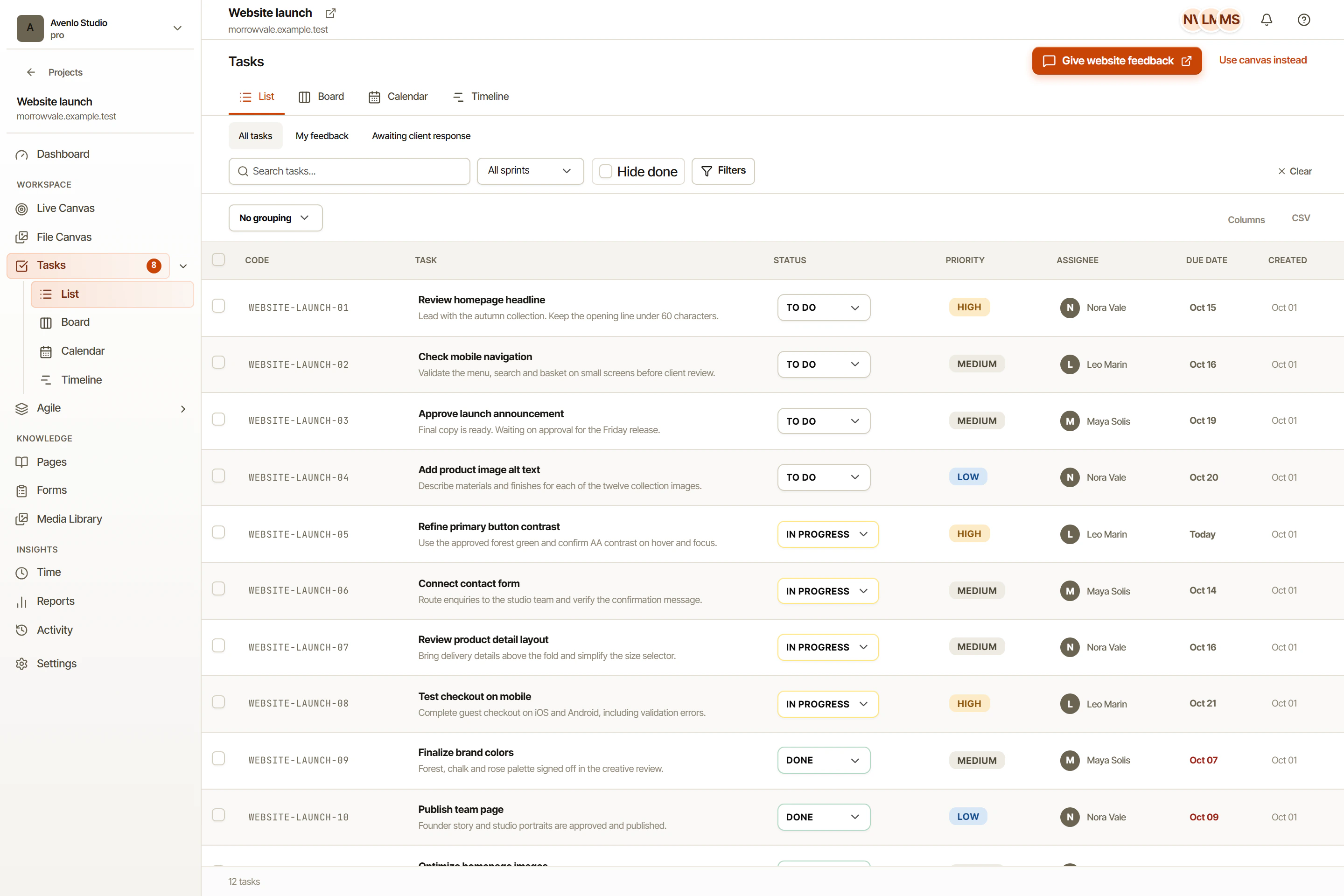
A list is a useful starting point when reviewing individual assignments and checking whether each task has enough context. Read the task title alongside its description, ownership, and current state. A precise title should remain understandable without requiring someone to open a long comment thread.
This view also suits a review of loosely defined work. If several tasks say “update page,” the problem is not the display format. The team needs clearer outcomes before it can make a credible plan.
Use the board for flow
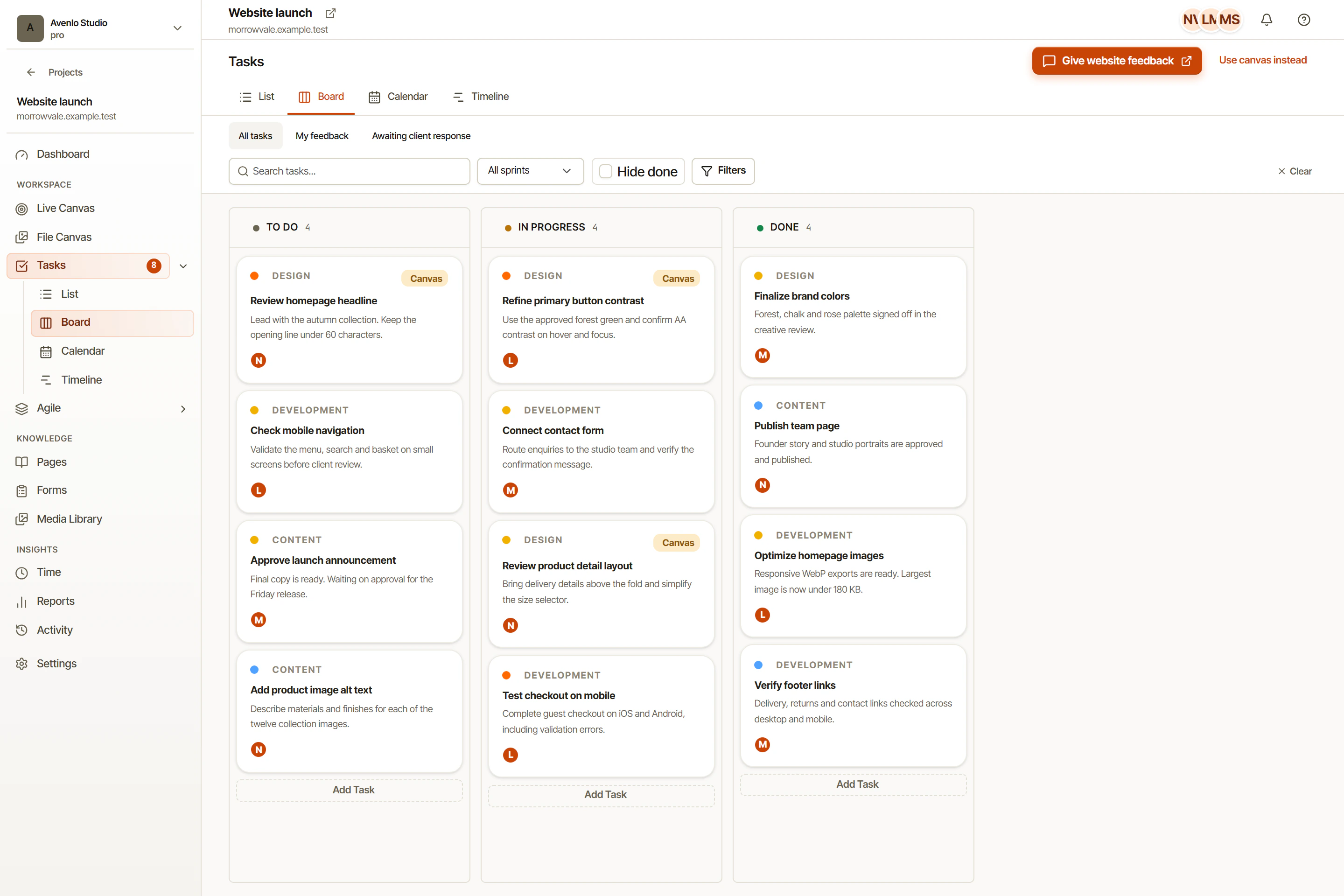
A board emphasizes workflow states. It helps a team discuss what has started, what is waiting for review, and what is complete. Agree on the meaning of each state, especially the difference between implementation finished and review accepted.
A task staying in review is not necessarily blocked by development. It may be waiting for approved copy or an external decision. Record that dependency in the task conversation instead of allowing the column alone to imply an explanation.
Use calendar and timeline for time
Calendar views support a date-oriented conversation. They can help expose a review period that overlaps another scheduled commitment. A timeline offers a broader way to examine work across the project’s time window. Neither view makes an estimate reliable simply by displaying it.
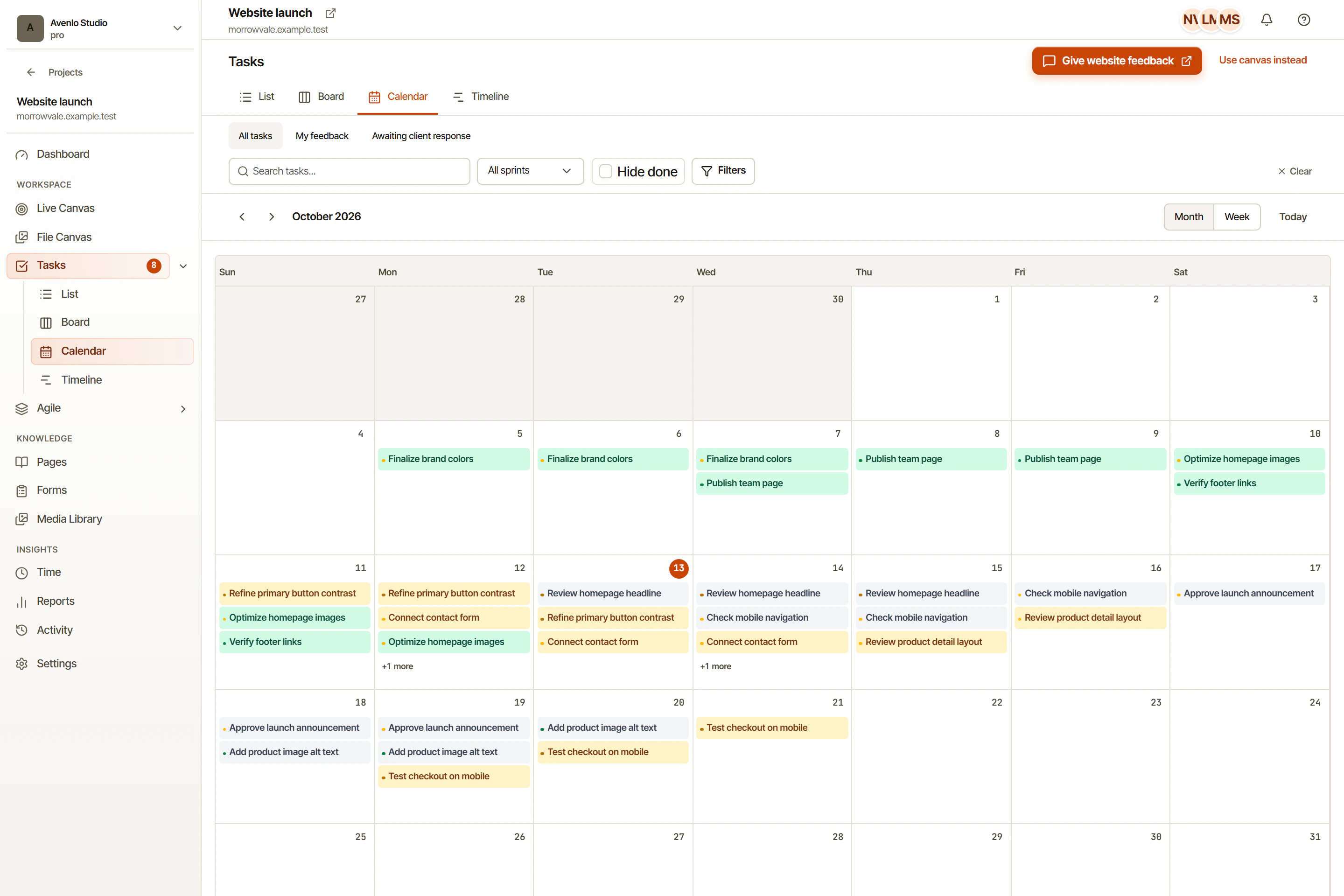
If a task has no useful date yet, resolve that planning question before treating the schedule as settled. Do not invent dates merely to fill a view.
Change perspective, not responsibility
Choose a default view for routine coordination and another for planning reviews. Keep ownership, acceptance criteria, and unresolved decisions in the task itself. When the team switches perspectives, the work should keep its meaning. Explore the task views in OkFlow with one project and compare the questions each view helps you answer.
Explore task lists and boards, timeline planning, and sprint workflows according to the decision you need to make. The website launch worksheet gives you a small set of real checks to organize across those views.