Introducing OkFlow: website feedback meets project tasks
OkFlow launches with visual review, task management, Agile planning, and project documentation in one workspace.
A website review often starts with a small observation: a heading is unclear, a button needs attention, or a section is missing. The difficult part comes afterward. Someone must preserve the context, decide what needs to change, assign the work, and confirm that the result addresses the original concern.
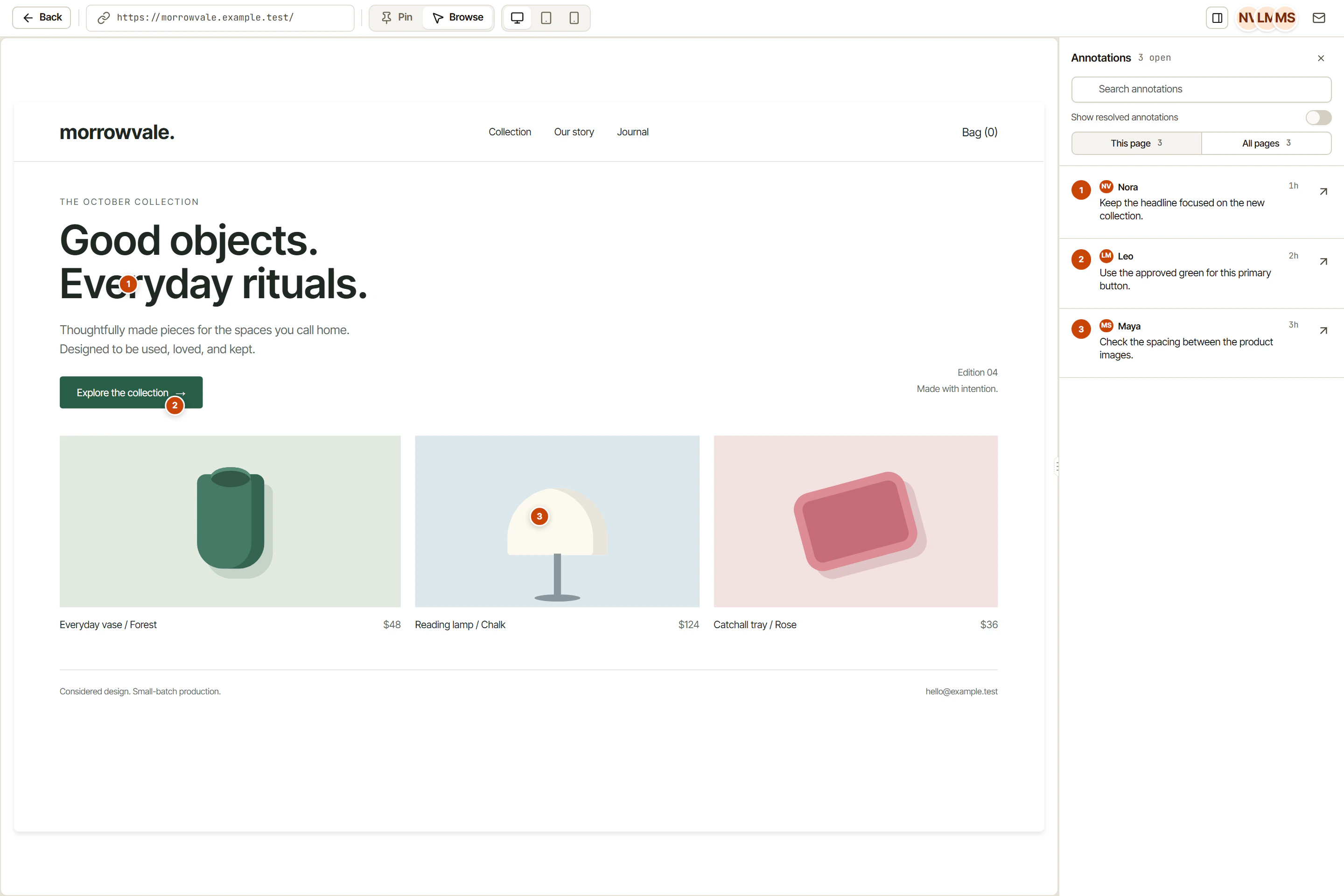
Today, we are launching OkFlow, a workspace that connects visual feedback with the work required to resolve it. It brings together website and file review, task management, Agile planning, and project Pages. The starting point is practical: a comment should not lose its meaning when it becomes a task.
Keep the source close to the task
Visual annotations can be linked to tasks, giving the team a way to carry review context into execution. For documents, multi-page PDF scrolling supports reviewing a file as a sequence rather than treating its first page as the entire deliverable. A reviewer can explain the concern; the person responsible for the change can work from that context.
Task descriptions support rich text, and comments and mentions keep discussion attached to the work. These tools do not decide what deserves priority. They give people a shared place to explain that decision instead of leaving it scattered across separate conversations.
Plan in the view that fits
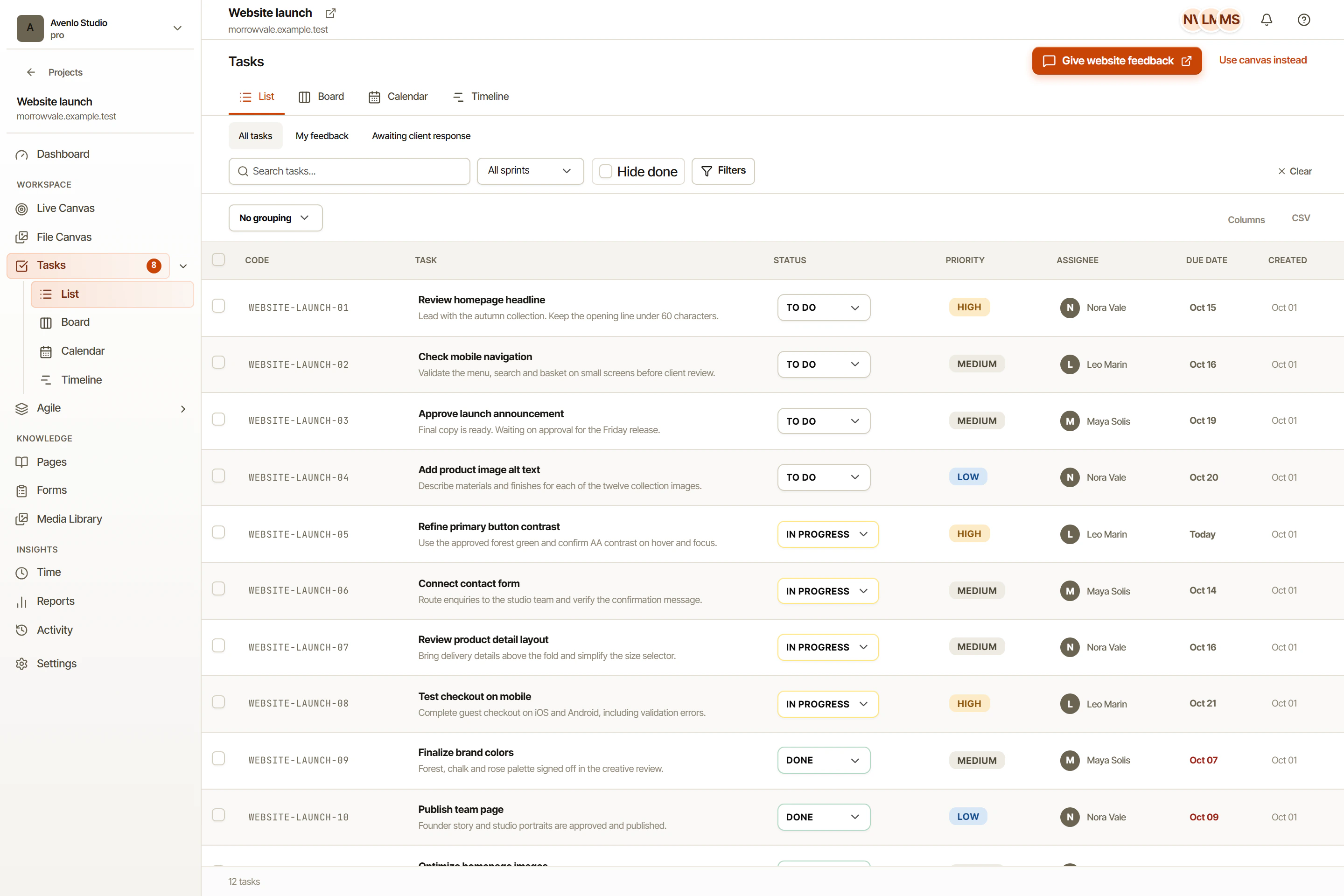
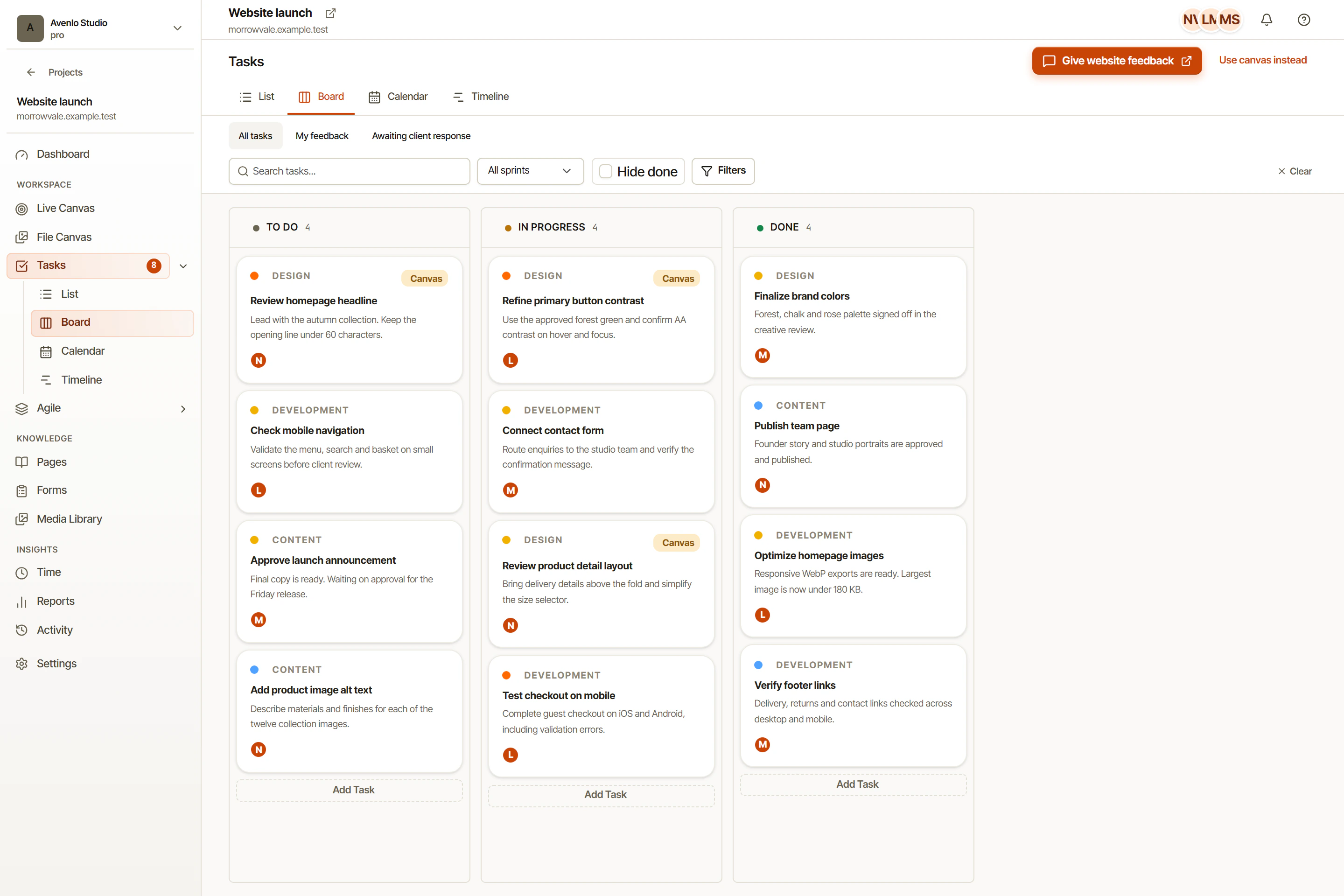
OkFlow includes list, board, calendar, and timeline task views. A list suits a detailed pass through assignments. A board makes workflow states visible. Calendar and timeline views offer different ways to examine scheduled work. Agile backlog, board, and sprint workflows support teams organizing work around a defined planning period.
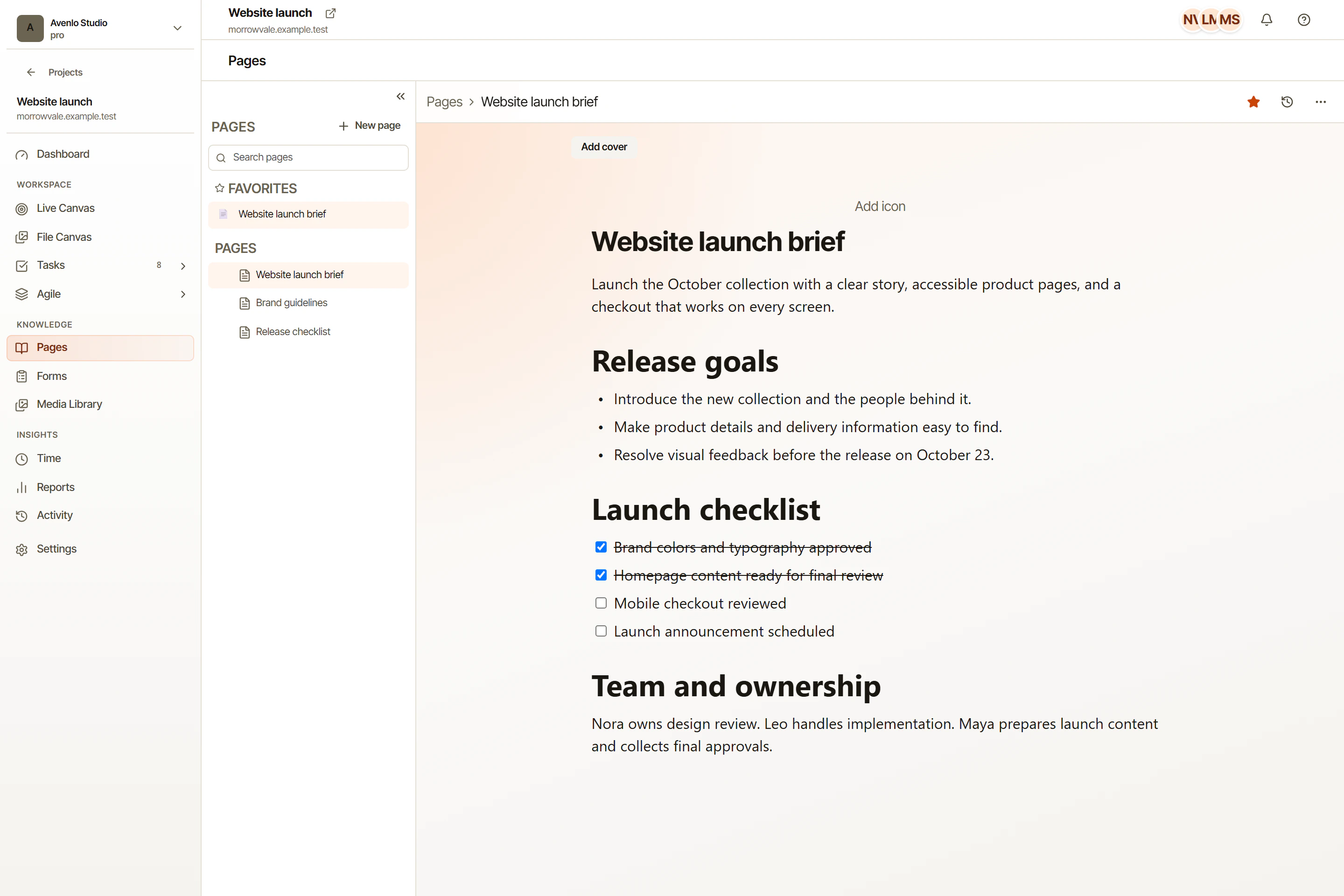
Project Pages provide a place for briefs, specifications, and decisions. Guest-scoped review allows external participation within its configured scope. Supported integrations can be configured where they fit the team’s process; availability and setup should be checked for the particular connection rather than assumed.
Start with one real project
Choose a deliverable with a clear owner and a reviewable result. Record its brief, collect specific feedback, and turn agreed changes into tasks. Decide what completion means before the team starts moving work across statuses.
The screenshots in this blog use demonstration data, not customer results. Our launch articles explain concrete workflows and their limitations. You can open OkFlow at app.okflow.io and begin with the work your team already needs to finish.
Start with visual website feedback, file review, or task management, depending on the work in front of you. The website feedback walkthrough follows one example from a client comment to a verified change.